


预览
源码(html)
<!DOCTYPE html>
<html lang="zh-CN">
<head>
    <meta charset="UTF-8">
    <title>修改选中文字颜色</title>
    <style>
        body {
            font-family: Arial, sans-serif;
            max-width: 800px;
            margin: 0 auto;
            padding: 20px;
            line-height: 1.6;
        }

        /* 自定义选中样式 - 这是关键部分 */
        /* 应用于整个页面的自定义选中样式 */
        ::-moz-selection { /* Firefox */
            color: red;
            background: yellow;
        }

        ::selection { /* 标准语法 */
            color: red;
            background: yellow;
        }

        /* 默认选中样式示例区域 - 这里不使用自定义样式 */
        .default-section {
            padding: 20px;
            background-color: #f5f5f5;
            border-radius: 5px;
            margin-bottom: 20px;
        }

        /* 为默认区域重置为浏览器默认选中样式 */
        .default-section::-moz-selection {
            color: unset;
            background: unset;
        }

        .default-section::selection {
            color: unset;
            background: unset;
        }

        /* 代码区域 */
        .code-container {
            background-color: #2d2d2d;
            color: #f8f8f2;
            padding: 20px;
            border-radius: 5px;
            overflow-x: auto;
            margin-bottom: 20px;
        }

        .copy-btn {
            background-color: #4CAF50;
            color: white;
            border: none;
            padding: 10px 15px;
            border-radius: 4px;
            cursor: pointer;
            margin-top: 10px;
        }

        .copy-btn:hover {
            background-color: #45a049;
        }

        .copy-btn.copied {
            background-color: #2196F3;
        }

        /* 教程区域 */
        .tutorial {
            background-color: #e8f4f8;
            padding: 20px;
            border-radius: 5px;
            border-left: 4px solid #2196F3;
        }

        h1, h2, h3 {
            color: #333;
        }

        /* 不同示例区域 */
        .example-section {
            padding: 20px;
            margin-bottom: 20px;
            border-radius: 5px;
        }

        .example1 {
            background-color: #e8f4f8;
        }

        .example2 {
            background-color: #fff0f0;
        }

        /* 为特定元素自定义选中样式 */
        .example2::-moz-selection {
            color: white;
            background: #e74c3c;
        }

        .example2::selection {
            color: white;
            background: #e74c3c;
        }
    </style>
</head>
<body>
    <h1>选中文字颜色修改 - 浮光资源网</h1>

    <p><strong>当前页面已应用自定义选中样式:红色文字,黄色背景</strong></p>

    <h2>默认选中效果</h2>
    <div class="default-section">
        <p>这个区域被重置为浏览器默认选中样式。请选中这段文字,你会看到浏览器默认的蓝色背景和白色文字。</p>
        <p>这是通过重置CSS的::selection样式实现的,用于对比自定义选中效果。</p>
    </div>

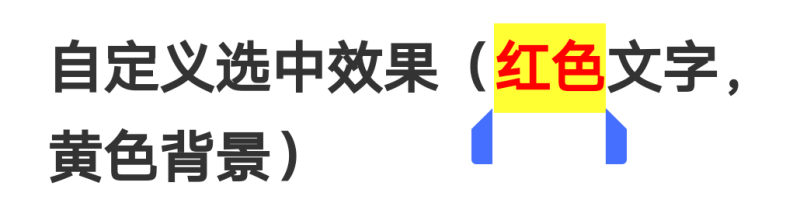
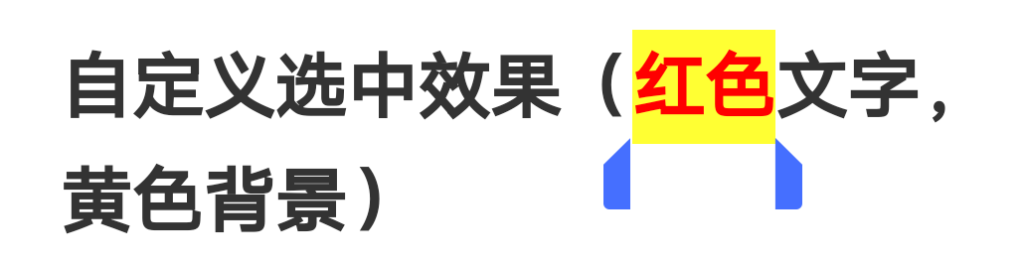
    <h2>自定义选中效果(红色文字,黄色背景)</h2>
    <div class="example-section example1">
        <p>这个区域使用页面全局自定义选中样式。请选中这段文字,你会看到红色文字和黄色背景的选中效果。</p>
        <p>这是通过在整个页面应用自定义::selection样式实现的。</p>
    </div>

    <h2>特定区域自定义选中效果(白色文字,红色背景)</h2>
    <div class="example-section example2">
        <p>这个区域使用特定的自定义选中样式。请选中这段文字,你会看到白色文字和红色背景的选中效果。</p>
        <p>这是通过对特定元素应用不同的::selection样式实现的。</p>
    </div>

    <h2>CSS代码</h2>
    <div class="code-container">
        <pre><code>/* 全局自定义选中样式 - 应用到整个页面 */
/* Firefox浏览器 */
::-moz-selection {
    color: red;
    background: yellow;
}

/* 标准语法,适用于Chrome, Safari, Edge等 */
::selection {
    color: red;
    background: yellow;
}

/* 为特定元素自定义选中样式 */
.example-element::-moz-selection {
    color: white;
    background: #e74c3c;
}

.example-element::selection {
    color: white;
    background: #e74c3c;
}

/* 重置特定元素的选中样式为浏览器默认 */
.reset-element::-moz-selection {
    color: unset;
    background: unset;
}

.reset-element::selection {
    color: unset;
    background: unset;
}</code></pre>
        <button class="copy-btn" id="copyCodeBtn">复制代码</button>
    </div>

    <h2>使用教程</h2>
    <div class="tutorial">
        <h3>使用方法:</h3>
        <ol>
            <li><strong>全局应用:</strong>将::selection样式直接放在CSS文件顶部,应用于整个页面</li>
            <li><strong>特定元素:</strong>使用类似<code>.example-element::selection</code>的语法,只对特定元素应用</li>
            <li><strong>重置样式:</strong>使用<code>unset</code>值可以将特定元素的选中样式重置为浏览器默认</li>
        </ol>

        <h3>常见问题:</h3>
        <ul>
            <li><strong>为什么我的修改不生效?</strong>
                <ul>
                    <li>确保CSS语法正确,包括<code>::selection</code>有两个冒号</li>
                    <li>确保CSS文件已正确加载</li>
                    <li>检查是否有其他CSS样式覆盖了你的设置</li>
                </ul>
            </li>
            <li><strong>如何测试是否生效?</strong>
                <ul>
                    <li>选中页面上的文字查看效果</li>
                    <li>使用浏览器的开发者工具检查元素的计算样式</li>
                </ul>
            </li>
        </ul>

        <h3>注意事项:</h3>
        <ul>
            <li><code>::selection</code>伪元素仅支持<code>color</code>、<code>background</code>、<code>cursor</code>、<code>outline</code>属性</li>
            <li>移动端Safari浏览器可能不完全支持此特性</li>
            <li>建议同时提供标准语法和Firefox前缀以确保兼容性</li>
        </ul>
    </div>

    <script>
        // 复制代码功能
        document.getElementById('copyCodeBtn').addEventListener('click', function() {
            const code = `/* 全局自定义选中样式 - 应用到整个页面 */
/* Firefox浏览器 */
::-moz-selection {
    color: red;
    background: yellow;
}

/* 标准语法,适用于Chrome, Safari, Edge等 */
::selection {
    color: red;
    background: yellow;
}

/* 为特定元素自定义选中样式 */
.example-element::-moz-selection {
    color: white;
    background: #e74c3c;
}

.example-element::selection {
    color: white;
    background: #e74c3c;
}

/* 重置特定元素的选中样式为浏览器默认 */
.reset-element::-moz-selection {
    color: unset;
    background: unset;
}

.reset-element::selection {
    color: unset;
    background: unset;
}`;

            // 使用Clipboard API复制文本
            navigator.clipboard.writeText(code).then(() => {
                // 显示复制成功反馈
                const originalText = this.textContent;
                this.textContent = '✓ 已复制';
                this.classList.add('copied');

                // 3秒后恢复原状
                setTimeout(() => {
                    this.textContent = originalText;
                    this.classList.remove('copied');
                }, 3000);
            }).catch(err => {
                console.error('复制失败: ', err);
                alert('复制失败,请手动选择并复制代码');
            });
        });

        // 页面加载后添加提示
        document.addEventListener('DOMContentLoaded', function() {
            console.log('页面加载完成!请尝试选中不同区域的文字查看效果。');
            console.log('全局选中样式:红色文字,黄色背景');
            console.log('特定区域示例:白色文字,红色背景');
        });
    </script>
</body>
</html>
© 版权声明
THE END








暂无评论内容